Codes
Iron Man: Advanced Testing codes status for the public beta—no confirmed working promo codes yet, plus how to redeem when they drop.
View all CodesJARVIS · Suits · Hulkbuster guides for Roblox
Unofficial Iron Man Advanced Testing Roblox wiki: JARVIS, Mark 5, Hulkbuster, Ultron tips, codes, and flight guides for beta.
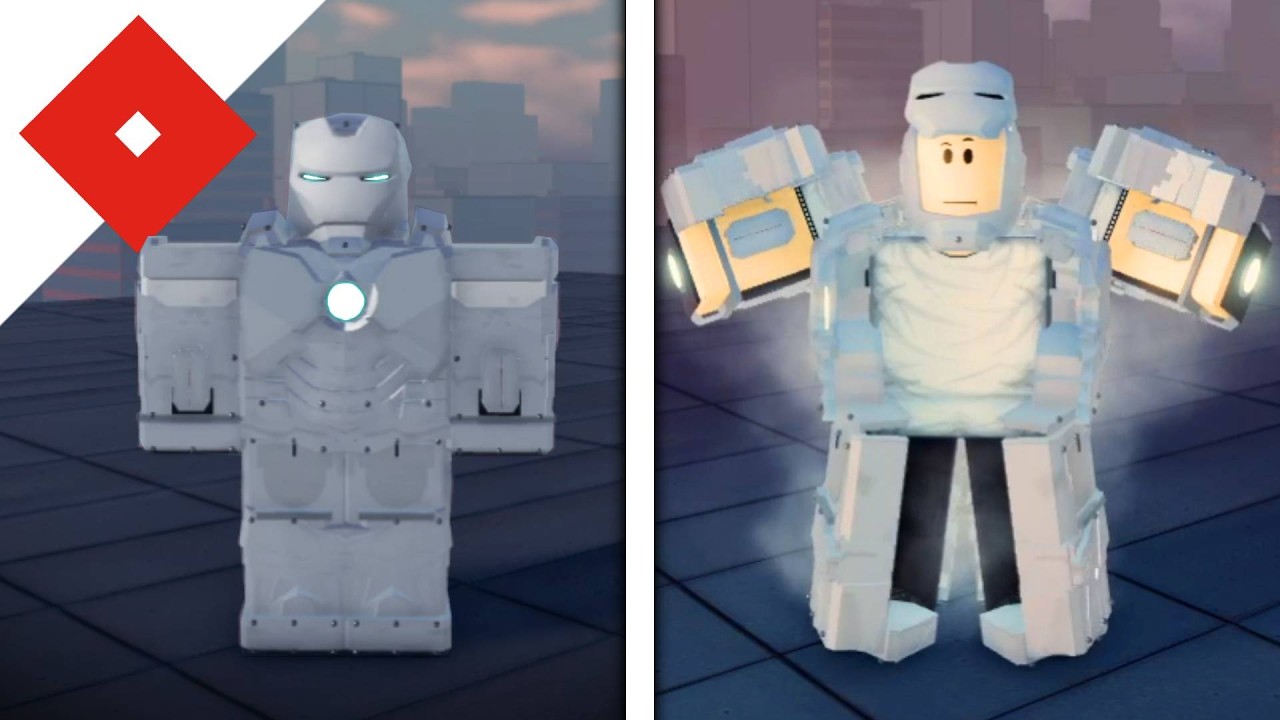

**Iron Man: Advanced Testing** by Playful Fun Studios is an active Roblox beta where you pilot Mark suits, talk to **JARVIS**, and push flight, combat, and autopilot systems to the limit. Join from the official experience, learn controls, then work through Getting Started for your first hour. Core fantasy loops include the Mark 5 suitcase deploy, JARVIS voice commands, flight and autopilot for space runs, and unlocking Veronica Hulkbuster for heavy fights — including Ultron encounters. Compare loadouts on the tier list, redeem codes when drops go live, and skim updates after each patch. Need helpers or community tools? Browse scripts, players, and tools — then jump back into the suit and keep testing.
Iron Man: Advanced Testing codes status for the public beta—no confirmed working promo codes yet, plus how to redeem when they drop.
View all CodesIron Man: Advanced Testing guides hub—JARVIS, Mark 5, sentry, Hulkbuster, flight, and space travel for the public beta.
View all GuidesIron Man: Advanced Testing suit tier list hub—Mark 5, Veronica Hulkbuster, flight utility, and Ultron combat rankings for the beta.
View all Tier ListIron Man: Advanced Testing players hub—combat, Ultron, console tips, suit-send etiquette, and multiplayer advice for the beta.
View all PlayersIron Man: Advanced Testing updates hub—public beta patch tracker, console support notes, and what each NEW UPD build means for pilots.
View all UpdatesIron Man: Advanced Testing scripts status—no confirmed public scripts yet, plus safety rules and how to search later without scams.
View all ScriptsIron Man: Advanced Testing tools hub—pre-flight suit checklists and practical helpers for JARVIS, flight, and Ultron-ready sessions.
View all ToolsAbout the Iron Man: Advanced Testing wiki—game overview, Playful Fun Studios beta facts, official links, and how we keep guides honest.
View all LinksOpen [Iron Man: Advanced Testing](https://www.roblox.com/games/76910988179157/Iron-Man-Advanced-Testing) on Roblox (PC, mobile, or console), spawn in, and complete the short onboarding so your Mark suit responds correctly.
Master takeoff, boost, and landing with the controls, flight and autopilot, and space travel guides before you push into combat.
Use JARVIS voice commands for suit modes, sentry, and utility calls — then follow Getting Started for what to unlock first.
Deploy the Mark 5 suitcase, then work toward Veronica Hulkbuster for Ultron fights. Compare options on the tier list.
Quick answers for Iron Man: Advanced Testing on Roblox.
Read Getting Started, learn controls and flight and autopilot, then practice JARVIS voice commands.
A Roblox action beta by Playful Fun Studios where you pilot Mark suits, fight threats like Ultron, use JARVIS, and test systems such as Mark 5 and Hulkbuster. See the [game overview](/) hubs for codes, guides, and updates.
This wiki supports: English, Français, Deutsch, Español, Português (BR). Configure locales in site.meta.json and run npm run generate:i18n.
Yes — Advanced Testing runs on Roblox for PC, mobile, and console. Map inputs with the controls guide and console tips, then refine flight with flight and autopilot.
No. This is an unofficial fan wiki for Iron Man: Advanced Testing. We are not affiliated with Playful Fun Studios, Roblox, or Marvel — always confirm patch notes on the official experience and developer channels.
From first flight to Hulkbuster fights, this wiki covers JARVIS, suits, codes, and patch notes for Iron Man: Advanced Testing on Roblox. Start with Getting Started or claim codes and check the tier list.
Start with the beginner guide