Iron Man Advanced Testing Getting Started in Advanced Testing
Your first hour as Iron Man in Playful Fun Studios’ public beta.
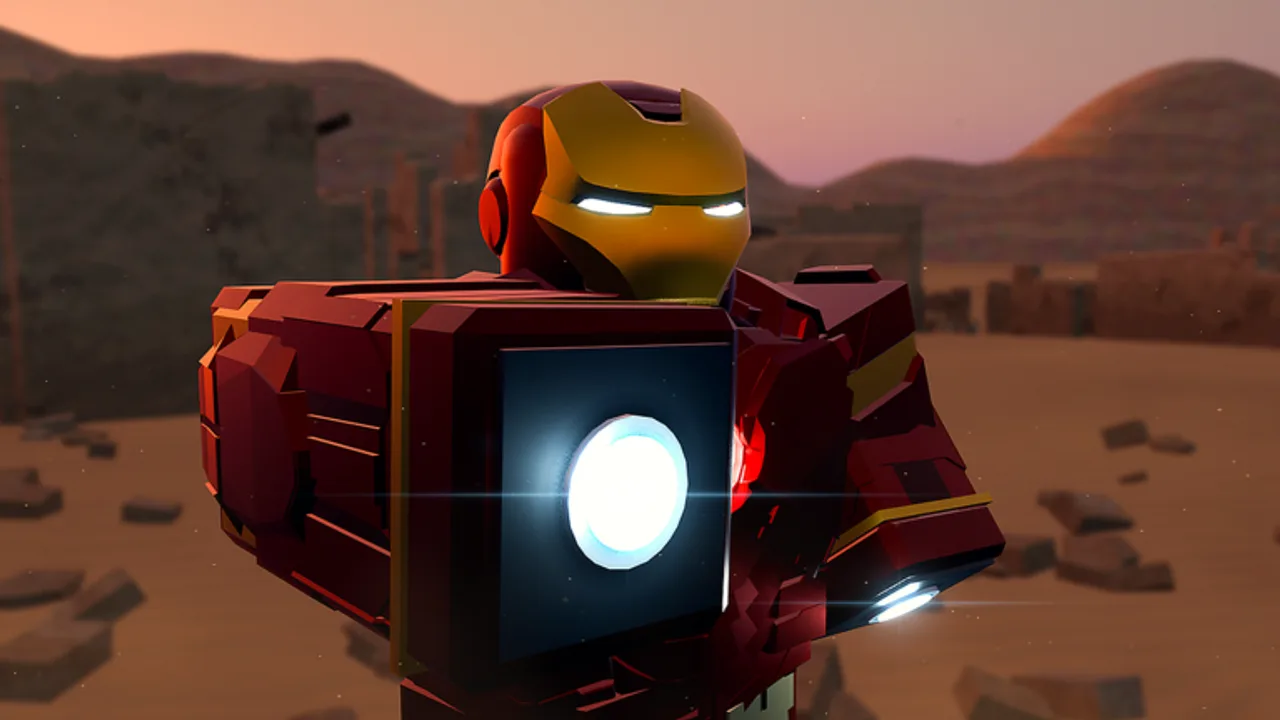
What you just joined
Iron Man: Advanced Testing is a Roblox Action / Battlegrounds experience from Playful Fun Studios. The place launched into active testing around 13 October 2026 and continues to receive rapid updates (including messaging around console support in November 2026). The Roblox page is often labeled with a [NEW UPD] prefix when fresh builds ship.
This is not a polished 1.0 live-service with a finished battle pass. It is a very active public beta / early testing showcase built with advanced systems and AI-assisted models so you can feel what “being Iron Man” means: suitcase deploys, gantry suit-ups, JARVIS voice, Veronica Hulkbuster, autopilot across the map and into space, sentry mode, and co-op suit handoffs—expect bugs while you smile through them.
Servers hold up to 20 players. Visit and favorite counts climb quickly because the fantasy lands hard; concurrent users swing with updates. Play on PC, mobile, or console (console arrived via recent updates—see November 2026 notes).
First-hour checklist
- Favorite and join the correct place — confirm you are on Iron Man: Advanced Testing (place ID
76910988179157), not a lookalike simulator. - Let the world finish streaming — gantries, suit stands, and UI modules may appear a few seconds after spawn.
- Find a suit-up method — gantry cinematic, Mark 5 suitcase deploy, or standard equip flow depending on what the current build exposes near spawn.
- Test camera modes — try third-person, then first-person POV for HUD immersion.
- Verify flight — climb safely, practice braking, land without cratering teammates.
- Enable voice chat if you want JARVIS later in the session.
- Skim binds on the controls page for your device.
- Run the suit checklist before you chase Ultron.
Mark 5 suitcase deployment
One of the signature moments in Advanced Testing is the Mark 5 briefcase-to-armor deploy. When you trigger it successfully, pieces assemble with the theatrical timing fans expect. Practice in an open pad away from crowded doorways so animations and physics have room to breathe.
Tips:
- Wait for the deploy to finish before spamming other abilities.
- If the beta soft-locks mid-assemble, walk, reset character, or rejoin—then report calmly in community channels if the studio provides them.
- Pair suitcase success with a short flight lap to confirm thrusters and camera.
Mark 5 sits in S-tier fantasy on our suit rankings because it teaches the fantasy immediately.
Gantry suit-up (step-by-step)
The gantry is the workshop dream: step into the frame, let the arms do the cinematic work, exit as armored Iron Man. Community clips treat gantry suit-ups as the “film set” alternative to the faster Mark 5 suitcase deploy. Use gantries when you want a slower, showpiece suit-up—great for first sessions, group photos, and recordings.
Clean gantry loop
- Pick a free bay — if another pilot is mid-cinematic, wait or rotate to the next pad instead of stacking hitboxes.
- Approach on foot when possible — flying into the frame mid-boost can clip arms or cancel the prompt.
- Trigger the interact the current build shows (proximity prompt / use key / console face button).
- Stand still through the assemble — do not spam jump, chat menus, or Veronica calls during the arms sequence.
- Verify thrusters with a two-second hover before you leave the pad.
- Clear the bay so the next player can start—gantry etiquette matters on 20-player servers.
Busy-pad and bug fallbacks
- If the prompt never appears, walk out, rejoin the pad, or fall back to Mark 5 / menu equip rather than AFK-blocking the bay.
- Soft-lock mid-gantry: reset character, then try suitcase deploy in open space.
- Console pilots: if the prompt art shows keyboard icons, try the highlighted gamepad control anyway—see Controls and Console tips.
- Record the exact Roblox title string (often
[NEW UPD]) when reporting repeat failures after patches (November 2026).
Meet JARVIS (light intro)
JARVIS voice commands are a headline feature. Confirmed community-tested style commands cover fly, eject, self-destruct, sentry mode, and sending a suit to another player. You will also see Veronica call-ins for Hulkbuster play.
Do not panic if voice fails on attempt one. Mic permissions, Roblox voice settings, and noisy 20-player voice channels all interfere. Deep dive on the JARVIS guide after your hands-on binds feel comfortable.
Flight, space, and autopilot (preview)
Advanced flight is the traversal spine. Once basic thrust feels good, experiment with autopilot toward other map areas and even planets / space destinations called out by the community. Full routing advice lives in Flight and autopilot. New pilots should stay visual-flight-rules first: climb, strafe, land, repeat.
Combat without rushing Ultron
You can fight early, but treat Ultron as a mid-session exam, not minute-five content. Learn spacing in a standard flight suit, then escalate to Veronica Hulkbuster when you want armor. Read combat tips before you blame the suit for a lost duel.
Co-op: sending a suit
Advanced Testing lets you send a suit to another player—a Pepper Potts-style handoff vibe when it works. Agree on a clear landing zone, confirm voice or chat cues, and avoid sending during chaotic self-destruct recoveries. More social framing sits on the Players Hub.
What not to worry about yet
- Codes — none confirmed; see Codes Hub.
- Scripts — none confirmed for this place; stay safe via Scripts / executor safety.
- Perfect balance — tiers will move; use Tier List as guidance only.
Session goals that feel great
| Goal | Success looks like |
|---|---|
| Suit-up fluency | Gantry or Mark 5 completes without panic |
| Flight lap | Clean takeoff, hover, landing |
| Voice proof | One JARVIS command recognized |
| Social | Meet a friend mid-air or complete a suit-send |
| Escalation | Short Hulkbuster or Ultron peek, then debrief |
After the first hour
Branch into specialist guides from the Guides Hub, track patches on Updates, and keep expectations calibrated: you are stress-testing a showcase that already feels amazing when systems sing. Favorite the place, note which [NEW UPD] title you played, and come back tomorrow—the beta is alive.
Welcome to Advanced Testing. Armor up.
Frequently Asked Questions
Quick answers for Iron Man: Advanced Testing on Roblox.
Is Iron Man: Advanced Testing fully released?
No. It is an active public beta / early testing experience. Expect bugs and frequent updates from Playful Fun Studios.
What should I unlock first?
Focus on suit-up (gantry or Mark 5), basic flight, then JARVIS. Hulkbuster and Ultron can wait until controls feel natural.
Does the game support console?
Console support was added in a recent update wave. See the November 2026 update page and the controls reference for device tips.
Are there beginner codes?
There are no confirmed working promo codes for this beta yet. Check the Codes Hub for status.
Where do I learn voice commands?
Open the JARVIS voice commands guide after enabling Roblox voice chat and testing your microphone.
What if the gantry is busy or broken?
Wait for a free bay or fall back to Mark 5 suitcase / menu equip. Do not AFK-block the pad—reset character if you soft-lock mid-cinematic.